


01 / COMPOSER
Make the moment yours.
Your words, photos and videos. Shaped for every network.
 WILLOW & CO.
Your next postDraft
Good mornings start
with good coffee.
AI marketing agents for any business and agency
Google Business Profile, Facebook, Instagram and LinkedIn posts in your voice.
You approve each one from your phone, or let autopilot post simple ones like holiday hours, with an email a day ahead to stop it.
Plans from $75 a month, with a 3-day free trial. Today one button writes your week; the automatic Monday run isn't on yet. See what works today and what's next
MEET YOUR AI TEAM
Each teammate has one job and a name. Chat with any of them, hand them a job, and they draft the work. Nothing goes out until you approve it.
Brand
Reads your website and keeps the facts, angles and voice your posts can use.
Example task
Found new weekend hours on the Willow & Co. website and saved them as a fact.
Example tasks from a week at Willow & Co., a sample café.
Teammates are AI agents, drawn as characters. Every draft waits for you.
Real product, sample data
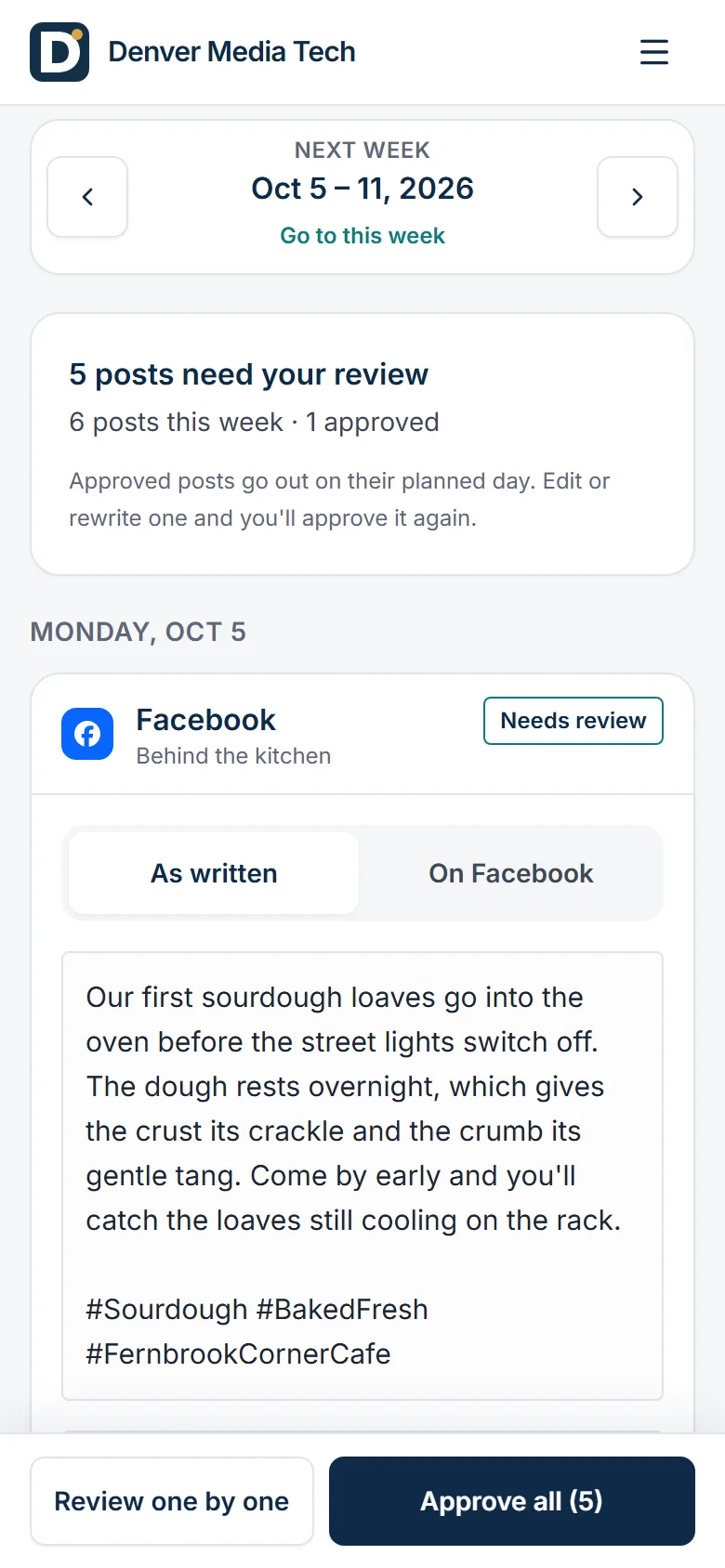
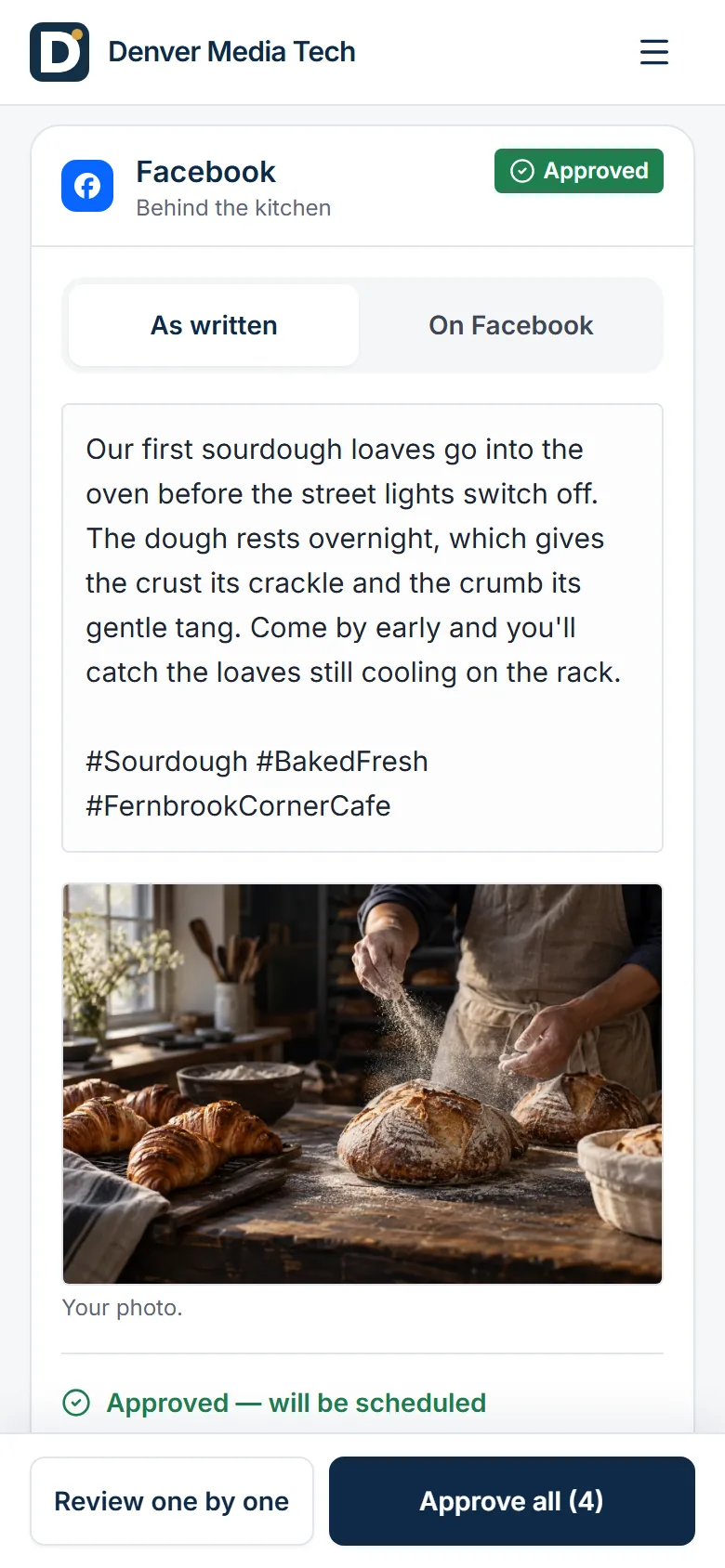
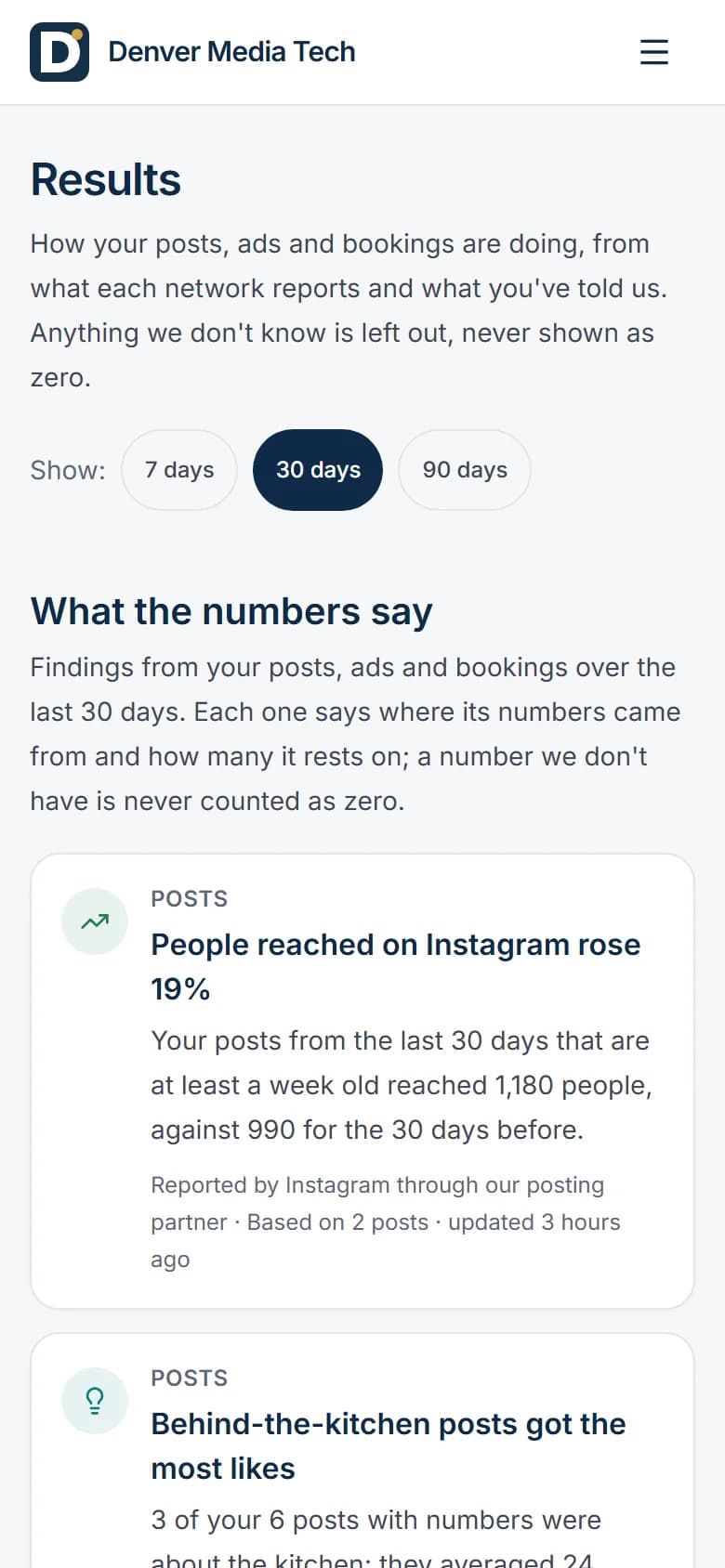
Screens from the app on a phone, filled in for an invented café. Its posts were written in advance for the demo, not by our AI writer, and its numbers are made up.
A LITTLE INTELLIGENCE. A LOT MORE YOU.
Watch one coffee moment become a story worth sharing.
01 / MEET WILLOW & CO.
One café. Its own warmth, voice and point of view.
Your facts. Confirmed by you.
“Make the small moments matter.”
02 / ONE COFFEE. MORE POSSIBILITIES.
Your photos or Studio pictures. Words in your voice.
Explore Studio“A quiet coffee moment.
Warm light. Our kind of morning.”
03 / THE FINAL SAY IS YOURS
Try the draft. Make an edit. Approve the exact version.
An edit needs a fresh approval.
A little pause. A really good coffee. Your morning ritual is waiting at Willow & Co.
Try it here. This example never posts to an account.
Your own posts work the same way.
Start your free trial04 / MEET YOUR AUDIENCE
Approved posts. Your connected accounts. Published through Ayrshare.
Publishing after your approval is available.
Explore all 11 connectionsPublish to your connected channels.
See your posts in a week or month view. Set your goals, topics, tone and how often you post, with each network's preview ready to review.
Today you start each week with the "Write this week's posts" button. The automatic Monday run is not available yet.
Bring your own words, photos and videos, or ask AI to write from business facts you've confirmed. Create pictures in Studio, then prepare each network's version in the composer.
See each post on your phone or computer. Approve, edit, rewrite or skip it. Your approval covers that exact version; an edit needs approving again.
The weekly email telling you posts are ready is not available yet. Review them in your workspace today.
Publish the exact posts you've approved to your connected accounts through our posting partner, Ayrshare. Connect on its secure page; your accounts stay yours, and we never see your passwords.
Open Results for plain-language insights and the campaign results you enter. Every finding names its source. Missing post data stays unknown until each network reports it and it has been collected.
The weekly report email is not available yet. Open Results in your workspace today.
YOUR ACCOUNTS. YOUR AUDIENCE.
One workspace. Google Business Profile, Facebook, Instagram and LinkedIn first, with 7 more networks also supported. Your voice, everywhere.
Publish after you approve.AvailableConnect your accounts
Link securely through Ayrshare. Your accounts stay yours.
REELS FROM YOUR OWN CLIPS
Your own photos and phone clips, or a post you've already approved. Add scenes, reorder them and trim each clip.
Captions are written from the speech in your clip, and you can edit every word.
Your brand font, colours, logo and end card, with ready-made templates or one you save yourself.
Remove silences and filler sounds. You see the cuts first, and you can undo them.
Every Reel waits for your approval. AI-generated video, music and TikTok are not available yet.
How approval worksWILLOW & CO.Good mornings start
with good coffee.
BEYOND THE NEXT POST
Your words, photos and videos. Shaped for every network.
WILLOW & CO.Good mornings start
with good coffee.
Plan the rhythm. Preview each post. Choose what goes out.
Create pictures, make variations, and bring your own references.
Warm light.A little pause.Eight teammates you chat with. They draft for you; you decide what goes out.
Read insights with their sources. Missing numbers stay unknown.
Still learning · post data missing
Explore local visibility and nearby competitors with Google Places.
“A lovely little morning ritual.”
“Thank you. We’re glad we could brighten your morning.”
Illustrative workspace · Fictional café · No customer data or results
Posts for your Google Business Profile and Instagram, written in your voice with pictures in your brand. You approve the exact version before it goes out, unless you turn on autopilot for simple posts like holiday hours.
Two reply drafts for each new Google review. You choose one; nothing is replied to automatically.
A short email on your Google reviews and local rankings. Missing data is shown as missing, never as zero.
Not available yetBuilt, and being switched on with our first design partners.
PlannedNot built yet.
WHAT MAKES US DIFFERENT
Plenty of tools can write a post. Denver Media Tech is built so an owner can hand over the work and still know exactly what goes out under their name.
You approve the post you saw, word for word. Change one word and it needs approving again, so what goes out is always what you approved.
Every send writes a receipt before it reaches the network. If an outcome is unclear, we look it up before trying again, never guess.
Results name their source. A number we don't have yet is shown as missing, never as zero, so you can trust the ones you see.
You connect on our posting partner's secure page. We never see your passwords, and you can disconnect at any time.
Studio makes branded pictures, and the Reel editor cuts Reels from the photos and clips already on your phone.
Review, edit and approve from your phone in a couple of minutes a week. No training, no dashboard to learn.
BUILT AROUND YOUR BUSINESS


Illustrative business stories. Yours comes next.
Why not the free tools?
Free network tools and scheduling apps help you post, and some can draft a post for you. Here is what's different, job by job.
Some draft a post when you ask; you plan the week.
You plan and write; some offer AI writing help.
Plans your posting days and writes each post in your voice.
A new week written for you every Monday. Not available yet
Each covers its own networks.
Many networks in one place.
Google Business Profile, Facebook, Instagram and LinkedIn, plus 7 more.
Every network's version on one screen. "Approve all" approves exactly what you see.
You post it yourself, or confirm an AI draft.
Posts what you schedule; approval steps on some plans.
Publishes the exact version you approved. Any edit needs approving again.
You check each suggestion yourself.
You check each draft yourself.
Prices, discounts, ratings and credentials come only from facts you've confirmed or typed in.
If the AI invents a review or a star rating, that post can't be approved.
General-purpose; the rules are yours to check.
General-purpose; the rules are yours to check.
Industry rules built in: health-results claims are blocked for dental and health practices, and guarantees for home services.
Some draft a reply, on their own network.
Varies by app.
Reply drafts for each new Google review. You choose; nothing is replied to automatically. Not available yet
Insights for your own profile, inside each app.
Post analytics; reports vary by plan.
Where you show in Google's local results and how nearby competitors compare, on Growth and Pro.
A short weekly email on your reviews and rankings. Not available yet
We compare kinds of tools, not any one product. What each app offers varies by app and plan.
Not available yetBuilt, and being switched on with our first design partners.
PlannedNot built yet.
THE FOUNDERS
We kept meeting small business owners with the same problem. Every one of them asked us the same thing: can you just handle my Instagram and my Google reviews?
Nobody wanted another dashboard. They wanted it done, without losing the final say. So we built Denver Media Tech: AI teammates that do the work, and an owner who approves it in one tap.
More about us
Co-founder and CEO
Leads the company: strategy, partnerships and the call on what we build next.

Co-founder and CTO
Wrote Denver Media Tech's code: the agents, the approval flow, the posting pipeline and the apps. He also answers support himself.

Co-founder and Chief Growth Officer
Leads sales and growth: finds our founding partners and makes sure every owner gets value from the first week.
A LITTLE CLARITY
Compare plans and pricing, or find a step-by-step guide in our help center.
Available today: Google sign-in and a guided setup; brand read from your website; connect your accounts on a secure linking page; AI writes each post in your voice; ask for a post any time; tell the agents what to post about; review and approve your posts; create drafts with your own words, photos and videos; week and month planning with network previews; business facts and voice, with or without a website; agent teammates you chat with, who draft for you; results and insights from the data you have; your own photos, videos and logos library; local rank and competitor checks; ad plan packs you follow by hand; publishing after your approval; branded pictures and carousels on posts; card checkout and the free trial; credit packs bought online; create and edit AI pictures in Studio; reels made from your own photos and clips; and AI video shots made with credits. Built and not available yet, switching on with our first design partners: posts planned and written every Monday; weekly approval email; posts for each location, from that location's own accounts; Google review monitoring and reply drafts; review requests by email; weekly report email; reels posted to Instagram after your approval; reels on Facebook, YouTube, LinkedIn and Google; ads monitoring; one agency view across all client workspaces; and agency billing per client workspace.
Not unless you turn on autopilot. Every post waits for you: you see it as it will appear, then approve, edit or skip it. An approval covers that exact version, so any edit needs approving again, and "Approve all" approves only the posts on your screen. The one exception is autopilot. It is off until you turn it on, one type of post at a time, and it covers only tips, holiday hours and closures, evergreen brand posts, and exact reposts of your best posts you already approved, at least 90 days later and at most one a week. It emails a preview of each post at least a day before it goes out, with a link to stop it, and posts at most a few a day (two by default, never more than five). It never covers offers, prices, health or results claims, review replies, ad changes or anything our checks flag. For healthcare, dental, legal and financial businesses it covers only holiday hours and tips that carry a disclaimer. Approved posts can be published to your connected accounts through Ayrshare.
No. You connect social accounts on a secure page run by our posting partner, Ayrshare, so we never see your passwords, and you can disconnect them at any time. We never become the owner or the billing entity on your Google Business Profile, social pages, or Meta or Google Ads accounts. Ad plan packs are instructions you follow yourself; nothing changes in an ad account automatically.
Starter starts at ₹7,100 a month incl. GST in India, $75 elsewhere, a launch price until 31 March 2027; the pricing page compares every plan, plus the agency plan. Every plan starts with a 3-day free trial. A card (or UPI Autopay in India) is needed to start it; the first charge is on day 4, and if you cancel before then you pay nothing.
Only with separate, explicit permission and verified context. Signing up or joining as a founding partner does not by itself grant publication rights; a case study needs your permission in writing. Samples on this site are labelled as illustrative and contain no real customer results or patient information.
Sultan builds the product and runs it. He answers support himself, and we reply within one business day. For a founding partner, he also sets up your business, brand and accounts with you on a call, and replies to your weekly feedback. He doesn't post for you or change your accounts: every post waits for your approval unless you turn on autopilot for simple posts like holiday hours. Any other hands-on work, such as running your accounts for you, is agreed separately, in writing.
LET'S BUILD YOUR NEXT CHAPTER
Your next post starts here. You approve what goes out.